
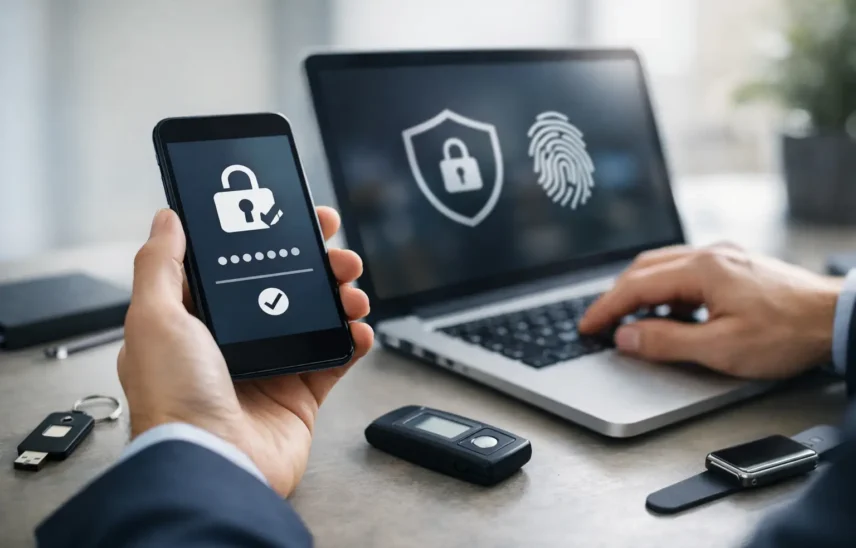
A stolen password rarely looks dramatic at first. It looks like a login from the wrong location, a supplier email that is not quite right, or an employee locked out of Microsoft 365 on a busy Monday morning. That is exactly why “Why is multifactor authentication important?” is a question every growing business should ask before an account breach turns into downtime, fraud, or a much bigger recovery job.
For most SMEs, passwords are still the front door to email, finance systems, cloud storage, CRM platforms, and remote access tools. The problem is that passwords are easy to steal, reuse, guess, or buy. Staff may do the right thing most of the time, but all it takes is one phishing email, one recycled password from an old breach, or one weak login on a forgotten account. Multifactor authentication, usually shortened to MFA, adds a second check that makes those stolen credentials far less useful.
Because password-only security no longer matches the way businesses operate. Teams work across laptops, mobiles, cloud platforms, home networks, warehouses, classrooms, and shared systems. Access happens from more places, on more devices, and at more times of day than ever before. That flexibility is good for productivity, but it gives attackers more opportunities too.
MFA works by requiring something more than a password. That could be an app approval, a time-based code, a fingerprint, or a physical security key. If a criminal has the password but cannot provide the second factor, the login attempt usually fails.
That matters commercially, not just technically. A compromised account can mean fraudulent invoice changes, unauthorised access to customer data, disruption to operations, and hours or days spent resetting accounts, checking systems, and answering difficult questions from customers or auditors. MFA reduces the chance of that chain reaction starting in the first place.
Many business leaders assume cyber incidents begin with sophisticated hacking. Often they begin with something much less dramatic – a convincing email, a reused password, or a member of staff under pressure clicking too quickly.
Attackers know this. They do not always need to break in through a firewall if they can sign in through a front-end service with a valid username and password. Email platforms, cloud file storage, payroll systems, and remote desktop services are common targets because they give quick access to sensitive data and internal conversations.
MFA changes the economics of an attack. It forces an attacker to do more than steal a password. They now need access to a trusted device, a live approval request, or a physical token. That extra hurdle will not stop every threat, but it blocks a large proportion of common account compromise attempts.
When people ask why is multifactor authentication important, the answer is often framed as a pure cyber issue. In practice, it is also an operational control.
If a finance account is breached, payment instructions can be altered. If a director’s mailbox is accessed, sensitive negotiations or legal correspondence may be exposed. If a warehouse or manufacturing system account is taken over, core processes can be interrupted while access is reviewed and restored. Even a small incident can create noise across the business – missed messages, delayed orders, lost confidence, and staff pulled away from their actual jobs.
That is why MFA earns its place as a practical business safeguard. It helps protect continuity, keeps support incidents lower, and reduces the chance that one password problem becomes a company-wide distraction.
Not every system carries the same level of risk, so rollout should be sensible rather than rushed. In most SMEs, the highest priority areas are email, Microsoft 365 or Google Workspace, remote access, finance systems, CRM, ERP, and any platform storing customer, employee, or commercially sensitive data.
Email deserves special attention. Once an attacker controls an inbox, they can reset other passwords, impersonate staff, and monitor conversations quietly. That is why email MFA is often one of the fastest ways to reduce risk.
Admin accounts matter just as much. If privileged users can make changes across systems, their accounts need stronger controls than standard users. In some cases, that means app-based MFA is enough. In others, especially for higher-risk roles, hardware security keys or stricter conditional access policies are the better option.
There are trade-offs, and sensible businesses should understand them. MFA can add friction. Staff may find extra prompts irritating, particularly if they move between systems often. Poorly configured rollouts can create support calls, lockouts, or confusion for less technical users.
There is also the reality that not all MFA methods are equal. Text message codes are better than passwords alone, but they are generally weaker than authenticator apps or hardware keys. Push notifications are convenient, but if users approve prompts carelessly, they can still be exploited. Strong setup and user guidance matter.
So yes, MFA is not a silver bullet. It will not replace endpoint protection, staff awareness training, patching, backup strategy, or access controls. But dismissing it because it is not perfect would be like refusing to fit locks because windows also exist. Good security is layered, and MFA is one of the most effective layers available for account protection.
The best approach is practical and staged. Start with the systems that create the biggest exposure, then make the user experience as clear as possible. Explain why the change is being made in business terms, not just technical ones. People are far more likely to cooperate when they understand it protects payroll, customer data, and day-to-day operations, not just “IT policy”.
Choose methods that suit the workforce. Office-based teams may be comfortable with authenticator apps. Shared-device environments or higher-security roles may need physical keys. Some organisations need exceptions for legacy applications, but those exceptions should be temporary and tightly managed.
It also helps to build in support from day one. Lost phones, replacement devices, and new starters should all have a clear process. The frustration many firms associate with MFA is often not the technology itself but the lack of planning around onboarding and recovery.
In many sectors, stronger access control is no longer optional in practice, even if legislation does not always name MFA directly. Customers, insurers, and auditors increasingly expect businesses to show they protect systems and data with more than a password. If you handle financial information, personal data, education records, or commercially sensitive client material, weak login security can quickly become a governance issue.
MFA also supports a stronger message to customers and partners. It shows your business takes access seriously. That matters when clients are deciding who they trust with data, systems integration, or long-term contracts. Security is not just a technical concern sitting in the server room. It is part of your reputation.
For businesses in London and across the UK competing on service quality, reliability and accountability, that reputation counts. Strong controls behind the scenes make it easier to promise continuity and mean it.
The real question is whether your current setup is doing enough for the way your business now works. If staff are remote, systems are cloud-based, suppliers communicate by email, and finance approvals happen digitally, then password-only access is carrying too much risk.
A good MFA rollout should feel proportionate. It should protect the systems that matter most, suit the way your team works, and sit within a wider security plan that includes monitoring, device management, recovery procedures, and straightforward support. No jargon, no judgement – just sensible controls that reduce avoidable problems.
That is where a hands-on IT partner makes the difference. The right setup is not just about turning on a feature. It is about applying it properly, reducing disruption, and making sure your security choices support the way the business actually runs.
If you are still relying on passwords alone, the gap between acceptable risk and actual risk is probably wider than it looks. Closing that gap now is a lot easier than explaining a preventable breach later.