
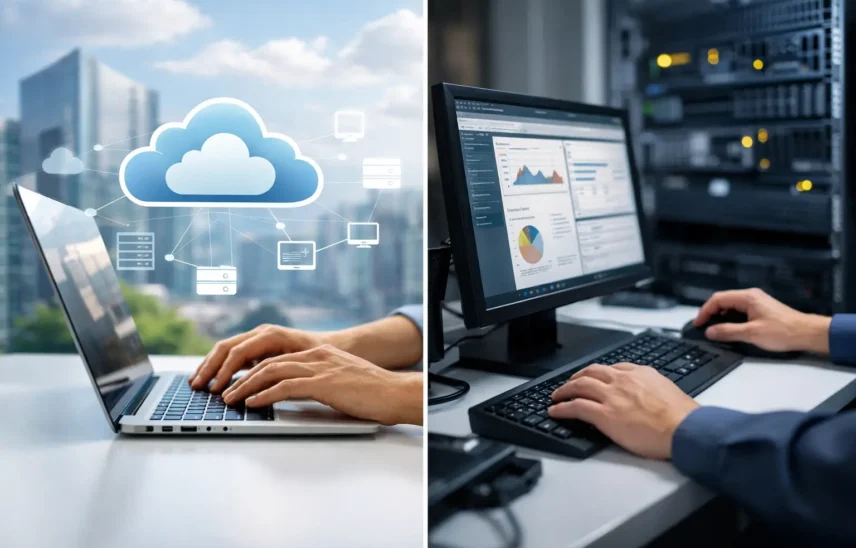
When a business starts losing time to spreadsheets, duplicate data and patchy reporting, the ERP conversation usually follows quickly. The real question is not whether you need better systems, but whether cloud ERP vs desktop ERP is the better fit for how your business actually runs day to day.
For many SMEs, this decision sits right in the middle of growth plans. A manufacturer wants clearer stock visibility. A retail business needs sales, purchasing and finance joined up. A professional services firm wants less admin and more reliable reporting. The choice you make here affects cost, flexibility, security, support and how much friction your team has to deal with each week.
At a practical level, cloud ERP is hosted remotely and accessed over the internet, usually through a browser or lightweight app. Desktop ERP is installed on local machines or servers in your office and managed as part of your on-site IT setup.
That sounds simple enough, but the operational difference is significant. Cloud ERP shifts more of the infrastructure burden away from your internal team. Desktop ERP gives you more direct control over where the system sits and how it is maintained. Neither option is automatically better in every case. What matters is how each one supports your staff, your processes and your tolerance for risk, cost and complexity.
Cloud ERP tends to suit businesses that want to move quickly without building extra IT overhead. If your team works across multiple sites, travels regularly or needs access from home, cloud access is usually the first major advantage. A sales lead can update customer records from the road, a warehouse manager can check stock in real time, and finance can work without being tied to a single office server.
There is also a strong commercial case. Cloud ERP often works on a subscription model, which makes budgeting more predictable. Instead of a larger upfront spend on hardware, licences and implementation around local infrastructure, businesses can spread cost over time. For growing firms, that matters. Cash flow is often better protected when technology costs are easier to forecast.
Updates are another factor. With desktop systems, upgrades can be delayed because they require planning, testing and sometimes hardware changes. In cloud environments, updates are typically rolled out more regularly. That helps businesses stay current without the same disruption. It also reduces the risk of running unsupported software for too long, which can become a security and compliance problem.
This is where cloud ERP often aligns well with a managed service model. Businesses that want one accountable partner for support, cyber protection and systems advice usually benefit from fewer moving parts. Less local infrastructure often means fewer points of failure.
Desktop ERP has not disappeared for a reason. In some businesses, especially those with legacy processes, specialist software dependencies or highly customised workflows, a desktop setup can still be the right option.
A manufacturer using older machinery interfaces may rely on software that was built around local installations. A business with strict internal controls may prefer to keep systems and data within its own environment. Some firms also like the familiarity of owning perpetual licences and having direct oversight of the server stack.
There can be performance advantages too, particularly in local environments with stable infrastructure and users who all work on site. If your internet connection is poor or unreliable, a desktop ERP system may feel like the safer route. That said, this depends on how well your network, backups and hardware are managed. Local control only helps if it is backed by disciplined support and maintenance.
One of the biggest mistakes in the cloud ERP vs desktop ERP decision is comparing only software pricing. The real cost sits across the full lifecycle.
Desktop ERP often looks cost-effective at first if you already have servers in place. But there are hidden pressures. Hardware replacement, backup systems, patching, antivirus, firewall management, upgrade projects and downtime risk all add up. If one critical machine fails and the ERP environment depends on it, the financial impact can quickly outweigh any saving on licence structure.
Cloud ERP usually lowers the need for server investment and can reduce the day-to-day burden on internal teams. But subscription fees continue over time, and some businesses dislike that ongoing commitment. If you plan to use the system for many years, ownership versus subscription becomes a fair discussion.
The right question is not which one is cheaper on paper. It is which one gives your business the best return in reduced admin, better reporting, less downtime and stronger control over operations.
Security is often where decision-makers pause, especially if they hear the word cloud and assume less control. In reality, the picture is more nuanced.
A well-managed cloud ERP platform can offer very strong protection through centralised patching, encrypted access, role-based permissions, monitored hosting and resilient backup arrangements. For many SMEs, that level of protection is stronger than what they can realistically maintain in-house on ageing servers.
Desktop ERP can be secure too, but only if the surrounding environment is managed properly. That includes backups being tested, updates applied promptly, access controlled carefully and endpoint protection monitored consistently. Too many businesses assume local systems are safer simply because they are on site. In practice, unsupported servers and inconsistent patching are common entry points for disruption.
If your business handles sensitive financial, operational or customer data, the issue is not cloud or desktop in isolation. It is whether the system is properly governed, supported and aligned with your wider cyber posture.
ERP problems are never just technical problems. They stop orders being processed, delay invoicing, interrupt purchasing and frustrate staff. That is why support matters as much as software choice.
Cloud ERP can reduce some support burden because hosting and core platform maintenance are handled externally. That can speed up issue resolution, particularly when the software provider and IT support partner work closely together. It can also make disaster recovery more straightforward if your office loses power or suffers a local outage.
Desktop ERP gives you more direct responsibility. Some firms prefer that because they want tight internal ownership. But if your support model is fragmented, one supplier can blame another when something goes wrong. The server team points at the software. The software provider points at the network. Meanwhile, your operations team is left waiting.
For SMEs, accountability often matters more than architecture. You want clear ownership, fast response and no finger-pointing.
If your teams are mobile, your sites are spread out, or your business is growing fast, cloud ERP is usually the more practical option. It is often a strong fit for retail groups, professional services firms, education providers and multi-site operations that need visibility without relying on one office-based server.
If your environment includes older line-of-business applications, site-specific machinery integrations or very bespoke local processes, desktop ERP may still be justified. This is common in some manufacturing and warehouse settings, particularly where systems have evolved over many years rather than being designed as one joined-up platform.
There is also a middle ground. Some businesses are not choosing between two extremes. They are moving from desktop ERP towards cloud in stages, keeping certain specialist functions local while modernising reporting, finance or CRM first. That can be a sensible route if a full switch feels too disruptive.
Start with operations, not features. Look at where your business loses time, where staff get blocked and which processes rely too heavily on workarounds. Then assess how each ERP model would affect access, reporting, upgrades, cyber risk and support.
Be honest about internal capacity. If you do not have the time or appetite to manage servers, backups and software maintenance properly, desktop ERP may create more risk than control. If your internet connectivity is weak, your workflows are highly bespoke and your on-site setup is mature, desktop may still serve you well.
This is also the point where a practical technology partner adds value. A good provider will not force a cloud answer because it is fashionable, or defend desktop systems because change feels uncomfortable. They will look at how your business operates, where failure points sit and what will genuinely improve resilience and efficiency over the next three to five years.
For many UK SMEs, cloud ERP is now the stronger long-term option because it supports growth, remote access, regular updates and simpler support. But there are still valid desktop cases, especially where legacy operations are tightly embedded.
The best ERP decision is the one that removes friction from the working week, gives your team better visibility and leaves you with fewer technology headaches, not more. If you start there, the right model usually becomes much clearer.